Validate vSAN disks for ESXi Host(s)
The solution here is to bypass the check being made by VCF to allow a host with more than 2 different disk sizes from being added.
1. Clean up the host if needed
2. Snapshot SDDC VM, without memory
3. ssh to SDDC as vcf, su to root
4. Add this property to the file /etc/vmware/vcf/domainmanager/application.properties
validation.disable.vsan.disks.check=true
5. Restart domain manager service
systemctl restart domainmanager
6. Start a new add ESX host to cluster workflow with the host in question
7. After the ESX host is added successfully remove this line again from /etc/vmware/vcf/domainmanager/application.properties
validation.disable.vsan.disks.check=true
8. Restart domain manager service
systemctl restart domainmanager
Troubleshooting vSAN Disk Validation Failure During WLD Deployment
While deploying a new workload domain in VMware Cloud Foundation, we ran into an issue that caused the deployment to fail during the vSAN disk validation step. The error was not immediately obvious, but it turned out to be related to disk size consistency on the ESXi hosts. This guide explains how to bypass this pre-deployment check during the deployment process. I strongly recommend consulting Broadcom support before proceeding, as skipping this validation may have unintended consequences and is not generally recommended without guidance.
POSTED XXX XXX
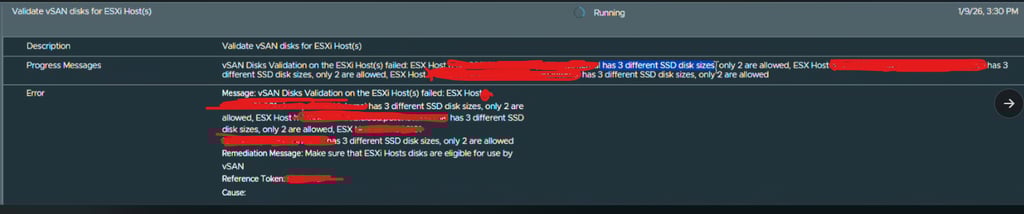
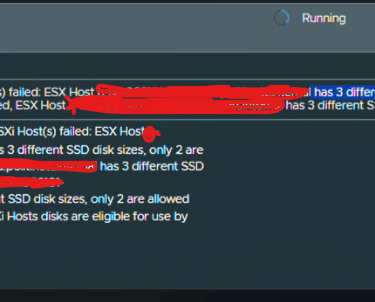
This is a picture of the error
Error:
vSAN Disks Validation on the ESXi Host(s) failed:
ESX Host <ESX FQDN> has 3 different SSD disk sizes, only 2 are allowed.
Issues like this highlight how small hardware inconsistencies can have a big impact on automated deployments in VMware Cloud Foundation. vSAN disk validation is strict by design, and even a single host with an unsupported disk layout is enough to stop the entire workflow.
While it may be tempting to bypass or skip pre-checks to move forward, it is strongly recommended to engage Broadcom Support before doing so. Pre-checks exist to protect the integrity and supportability of the platform, and skipping them without guidance can lead to unsupported configurations or more complex issues later.
VirtualViking
Plundering the Old Ways, Automating the New!
Tech
© 2024. All rights reserved.