No Images, No Progress: A Workload Domain Deployment Issue
We encountered an issue while attempting to deploy a new PAIF workload domain. The hosts had already been successfully commissioned, and the deployment progressed as expected until we reached the image selection step. At that point, no images were displayed.
We tried multiple approaches to rule out configuration errors:
Deploying a PAIF workload domain
Creating a new cluster in the existing management domain
Deploying via both SDDC Manager and VCF Operations
In all cases, the result was the same, no images were available to select, which prevented us from proceeding with the deployment and effectively blocked the project.
We opened a support request, and the case was eventually escalated to engineering for resolution. Hopefully others won’t run into the same issue, but this turned out to be the root cause in our case.
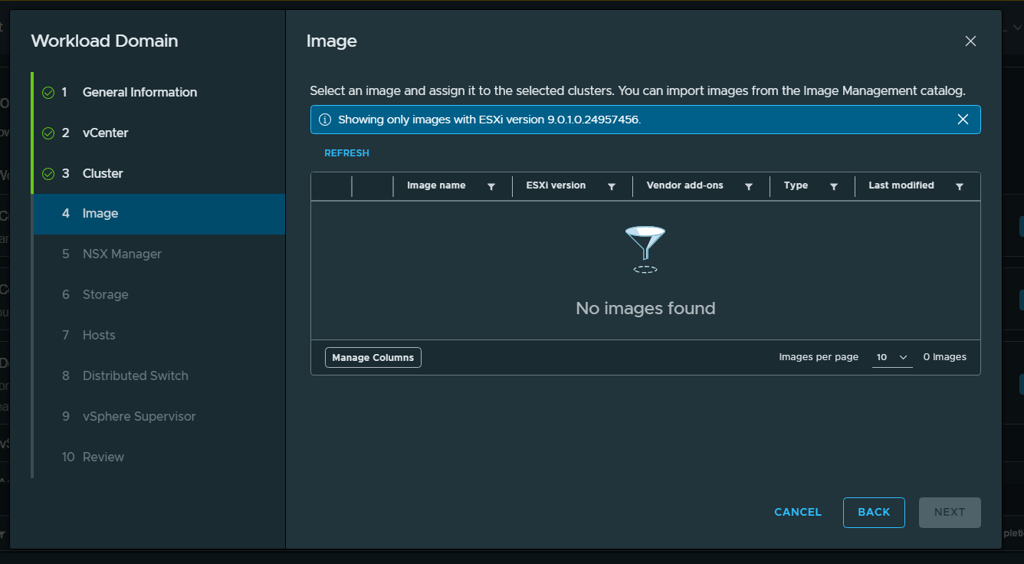
As shown in the image above, this is the issue we encountered. The host had already been commissioned and was running ESXi 9.0.1.0 (build 24957456), so there should have been no compatibility issues.
Below are screenshots of the commissioned host and the image library available at the time. Despite the image library containing valid images, none of them were selectable during deployment.
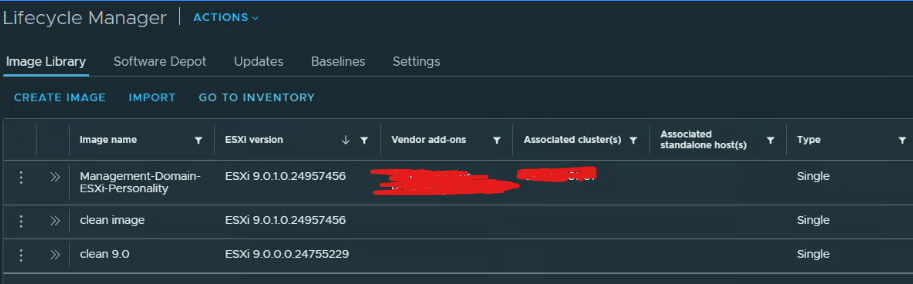
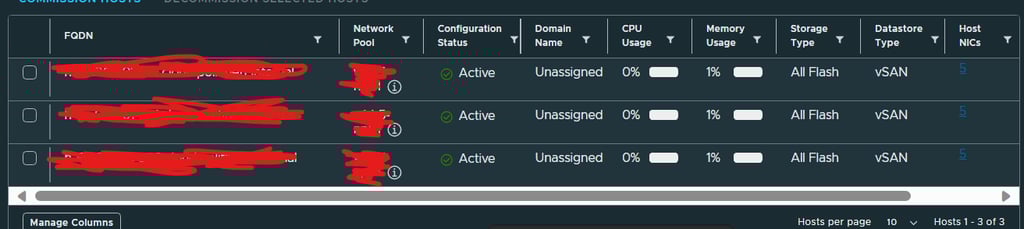
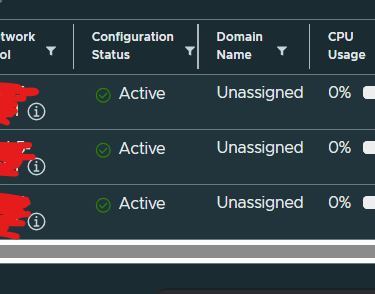
After the support case had been with Engineering for a few days, they were able to reproduce the issue internally and began investigating possible fixes and workarounds. Below is a description of the root cause and the workaround we used.
The issue was caused by new metadata that has been introduced in the ESXi host image. This metadata is now required in order to deploy a new cluster or workload domain (WLD).
When creating a new cluster or WLD, the image version is retrieved from the management domain. With the updated image metadata in place, this is how it now appears:
Posted: 28.12.2025
Thank you for reading. Hopefully you won’t run into the same issue we did, but if you’re unable to see any images when deploying a new cluster or workload domain, this could very well be the cause. Make sure to verify the metadata on the ISO.

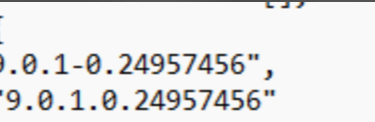
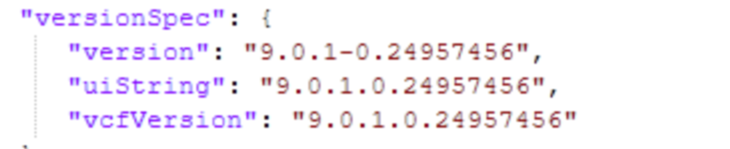
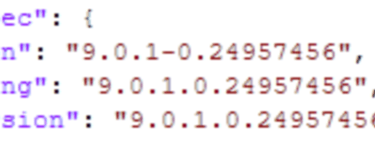
Before After
As you can see, there is a new line in the metadata called vcfVersion. This field is required when deploying anything new that depends on hosts.
If you unpack the installation ISO, you’ll find this information inside ESXi-metadata.zip. In our case, we had created a custom ISO with additional add-ons using PowerCLI. During this process, the vcfVersion entry was removed, which made it impossible to deploy any clusters or workload domains.
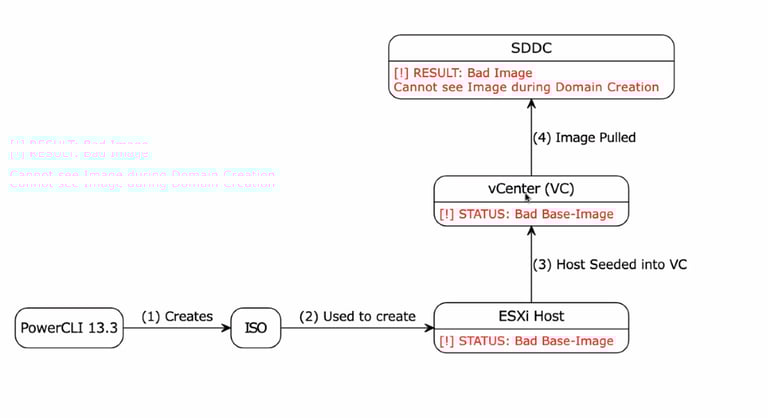
This happened because we used the wrong PowerCLI version when creating the custom ISO. To preserve the required metadata, the ISO must be created using VCF PowerCLI (VCF-POWERCLI).
The diagram below illustrates the issue:
Our solution was fairly advanced and involved changing the image for the management cluster, deleting all components associated with that image, and then synchronizing the image again. An alternative approach would have been to patch the management domain.
The resolution provided by support was as follows:
Clean up the vLCM depot on vCenter using the dcli utility.
Import a clean image from Broadcom downloads into vLCM.
Create a new image using the correct base image version.
Assign the newly created image to the affected cluster.
Delete the old, corrupted image and rename the new image to match the original image name.
Remove all invalid personalities from SDDC Manager using the Developer Center.
Delete the contents of
/nfs/vmware/vcf/nfs-mount/umds/patch-store/hostupdate/vmw/Re-download the UMDS components.
Since we were under time pressure and no avalible patches, we chose the first method. I strongly recommend creating a support request (SR) so you can get guidance through this process.
VirtualViking
Plundering the Old Ways, Automating the New!
Tech
© 2024. All rights reserved.